
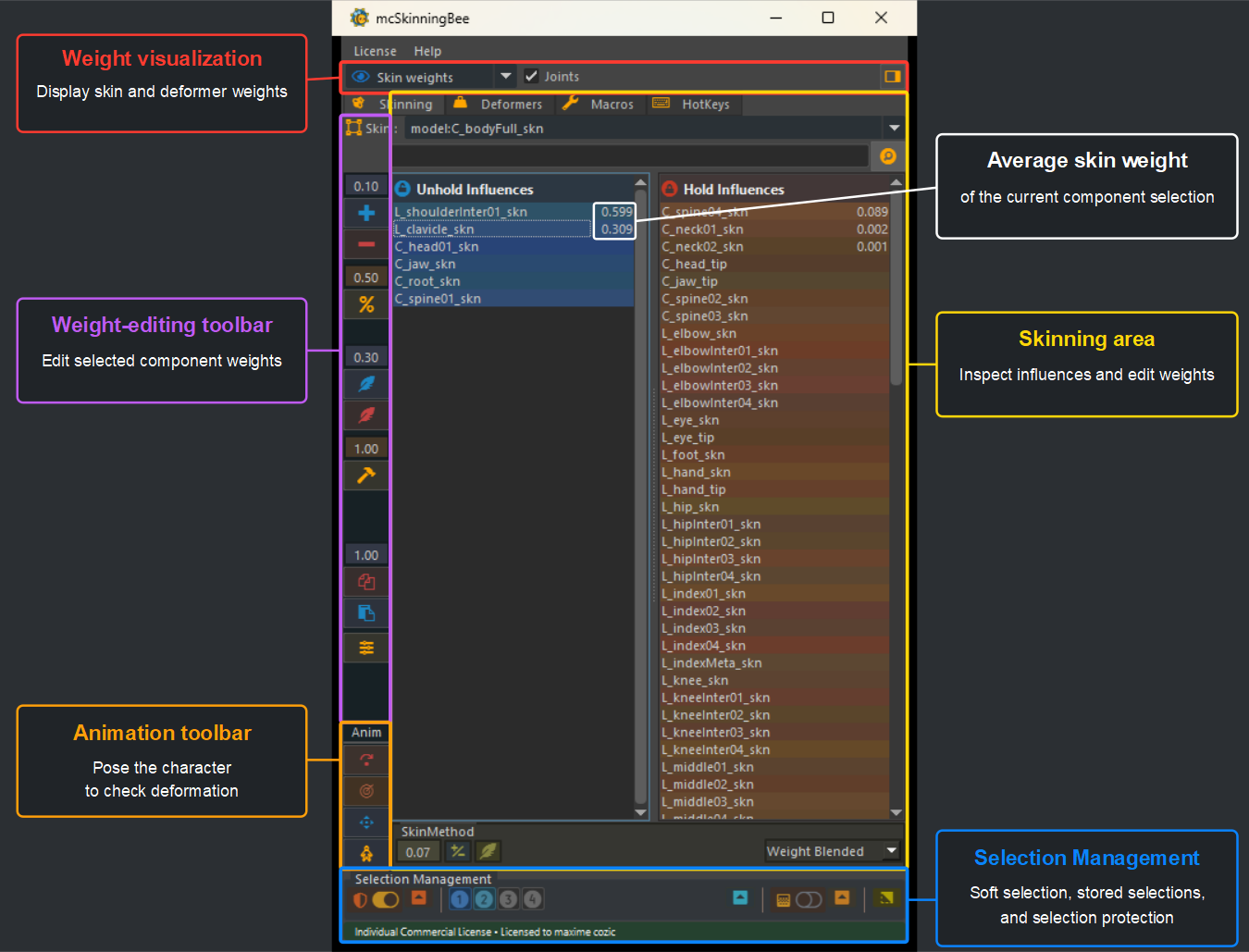
When you first open mcSkinningBee, the interface is divided into a few main sections. The area outlined in red lets you visualize different kinds of weights. The Skinning area is outlined in yellow. On the left, the main weight-editing toolbar is outlined in purple and the Animation toolbar in orange. The Selection Management tools, outlined in blue, remain available at the bottom. The white callout identifies the average skin weight of the current component selection for each listed influence.
Shared controls
The top bar controls weight visualization in the Maya viewport. It also contains the joint-visibility option and the button used to dock or undock the window.
The Skinning, Deformers, Macros, and HotKeys tabs provide access to the main areas of mcSkinningBee. The Skinning and Deformers tabs also share the weight-editing and animation tools shown along the left side.
Selection Management remains at the bottom of the window. These controls are available regardless of the active tab, so you can manage soft selection, stored selections, and selection protection without changing sections.
Skinning
The Skinning tab is the main working area. It shows the active skin cluster and separates its influences into unheld and held lists. The controls on the left are used to edit the weights of the selected vertices, while the animation controls help you pose the character and check the result.
Deformers
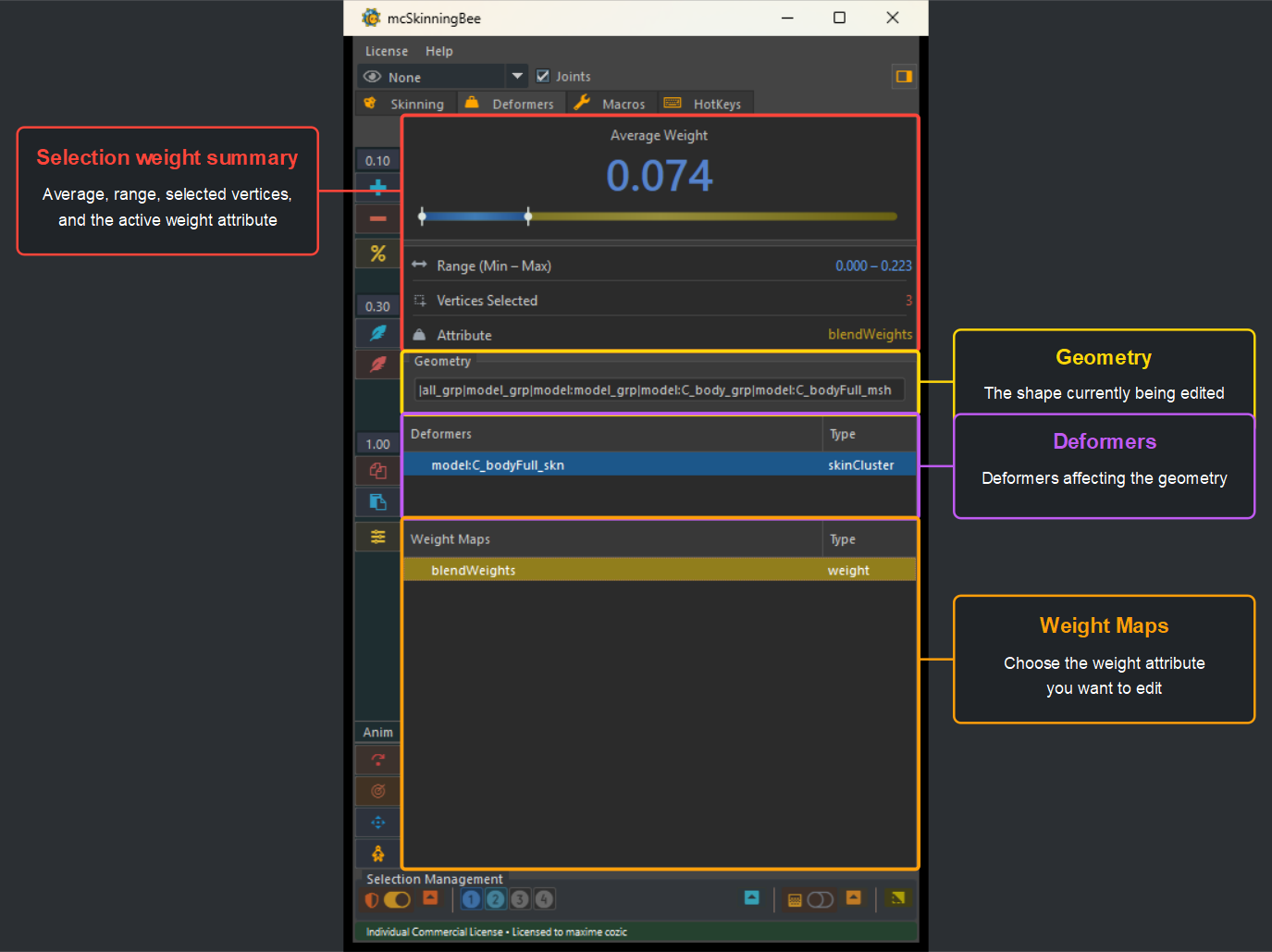
The Deformers tab shows information about the current vertex selection, followed by the geometry, deformers, and available weight maps. It uses the same direct, selection-based approach as the Skinning tab.
Macros
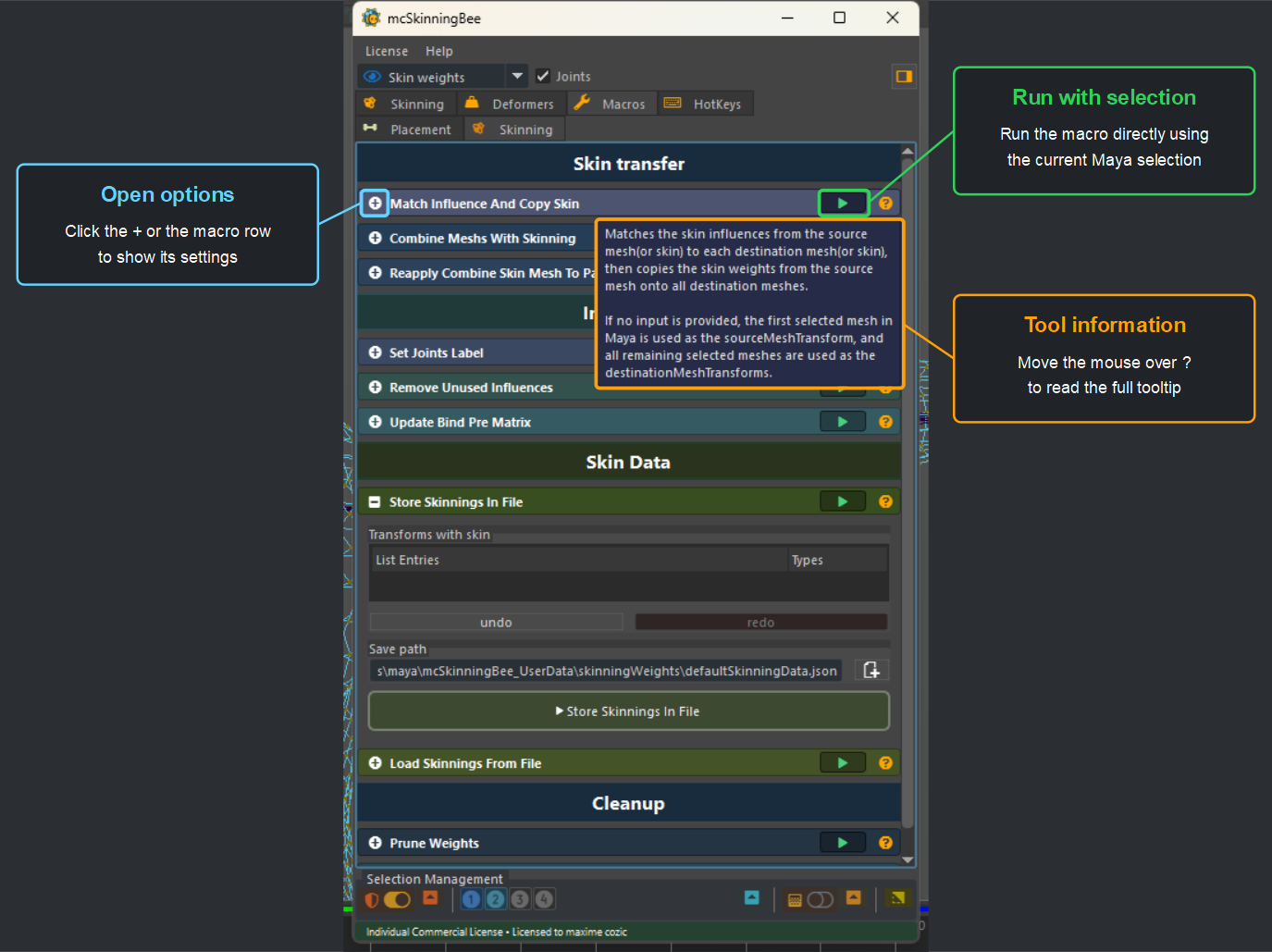
The Macros tab groups larger operations into Placement and Skinning sections. Each macro can be expanded to edit its inputs before running it.
HotKeys
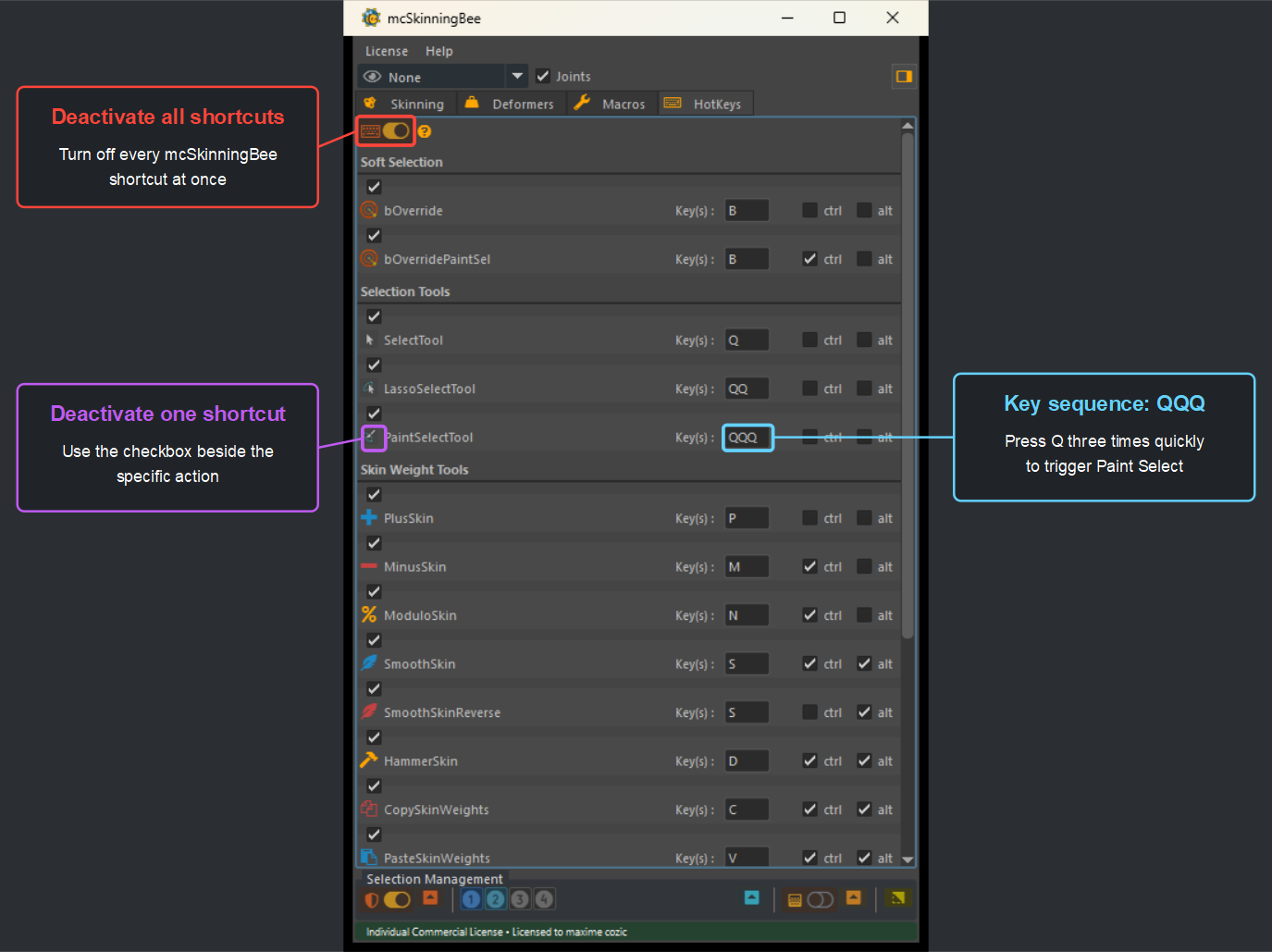
The HotKeys tab lets you enable, disable, and edit mcSkinningBee shortcuts directly inside the tool. Enabled shortcuts override matching Maya hotkeys only while mcSkinningBee is open.
The following sections of this documentation explain each area and its tools in detail.