
The Placement category provides barycenter references and joint-alignment tools. Expand a macro to edit its inputs, then run it from the title bar or the button inside its panel. See Macros overview for selection input controls, presets, and defaults.
Barycenters
Barycenter Locator
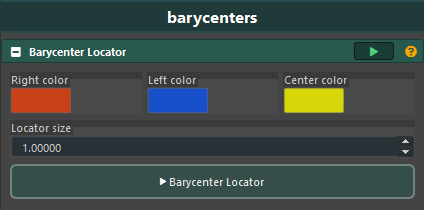
Creates a locator at the average position of selected mesh vertices. Edge and face selections are converted to unique vertices. The locator stores its source components, their positions, and topology information so it can be updated after the mesh changes.
Selection / inputs: select the mesh vertices, edges, or faces defining the placement region. The component selection is read when the macro runs.
| Option | Effect | Default |
|---|---|---|
| right_color | Display color for locators on the right side. | RGB (201, 65, 24) |
| left_color | Display color for locators on the left side. | RGB (24, 80, 201) |
| center_color | Display color for center locators. | RGB (214, 214, 9) |
| locator_size | Locator display size; minimum 0.001. |
1.0 |
Barycenters Update
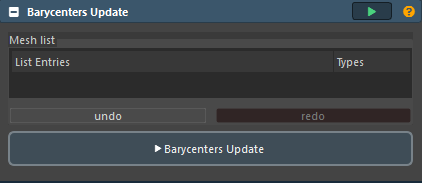
Repositions existing barycenter locators from their source meshes. When topology is unchanged, it reads the stored vertex IDs at their current positions. When topology changes, it finds the closest vertices to the stored world-space positions before recalculating the center.
Selection / inputs: provide the source meshes in mesh_list, or leave it empty and select the source meshes in Maya. Select meshes rather than the locators. An explicit mesh list lets you limit the update to a chosen group of models.
| Option | Effect | Default |
|---|---|---|
| mesh_list | Source meshes whose barycenter locators should be updated; uses selected meshes when empty. | Empty list |
Joints Alignment
Live Orientation Plane
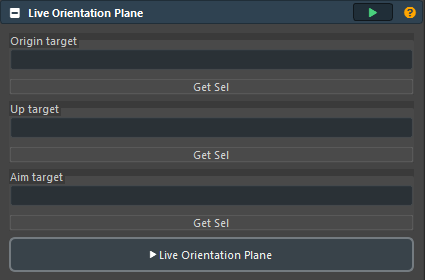
Creates a live orientation plane that follows an origin transform, aims toward an aim target, and uses an up target to control its orientation.
Selection / inputs: either fill all three target fields, or leave all three empty and select three transforms in this order: origin, up, aim. Partially filling the fields is not supported.
| Option | Effect | Default |
|---|---|---|
| origin_target | Transform defining the plane's origin. | Empty |
| up_target | Transform defining its up direction. | Empty |
| aim_target | Transform toward which the plane aims. | Empty |
Toggle Joint Display Axis
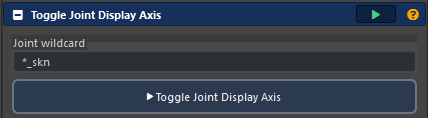
Switches local-axis display on or off for a group of joints. For a mixed group, it turns all axes on when half or fewer are currently visible, and turns them all off when a majority are visible.
Selection / inputs: selected joints take priority. With no joints selected, the macro uses joint_wildcard. With neither selected joints nor a wildcard, it processes all joints in the scene.
| Option | Effect | Default |
|---|---|---|
| joint_wildcard | Name pattern used when there is no joint selection. Clear it to include all joints when none are selected. | *_skn |
Orient Joints
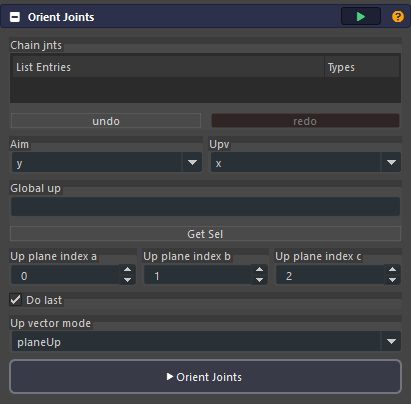
Orients a joint chain so the chosen local aim axis points toward the next joint, with the local up axis controlled by a plane or reference direction.
Selection / inputs: fill chain_jnts in chain order, or leave it empty and select the joints in order from the start of the chain to its end. Include every joint you want to process; the macro uses the supplied order rather than automatically discovering the chain.
| Option | Effect | Default |
|---|---|---|
| chain_jnts | Ordered joints to orient; uses ordered joint selection when empty. | Empty list |
| aim | Signed local axis pointing toward the next joint: x, y, z, -x, -y, or -z. |
y |
| upv | Signed local up axis; must use a different axis from aim. | x |
| global_up | Reference transform used by globalUp mode. |
Empty |
| up_plane_index_a | First joint index used to build the orientation plane. Indices start at zero. | 0 |
| up_plane_index_b | Second joint index used to build the orientation plane. | 1 |
| up_plane_index_c | Third joint index used to build the orientation plane. | 2 |
| do_last | Orients the final joint using the last calculated orientation. | On |
| up_vector_mode | planeUp: uses the three indexed joints; globalUp: uses the reference transform; sceneUp: uses world Y. |
planeUp |
Use at least three joints forming a usable plane for planeUp; all three indices must be valid and distinct. globalUp and sceneUp require at least two joints, and globalUp also requires its reference transform. The UI adjusts conflicting plane indices and aim/up-axis choices automatically.
Mirror Joints
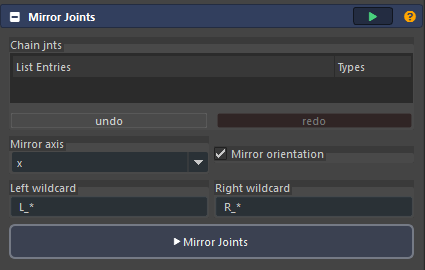
Mirrors the supplied joints across the chosen axis and uses side-name wildcards to identify opposite-side names and parent relationships.
Selection / inputs: provide the source joints in chain_jnts, or leave it empty and select the source joints in Maya. Populate the full set you want mirrored. Joint names must match the configured left or right wildcard; unmatched joints are skipped.
| Option | Effect | Default |
|---|---|---|
| chain_jnts | Source joints to mirror; uses ordered joint selection when empty. | Empty list |
| mirror_axis | Axis across which joint positions are reflected: x, y, or z. |
x |
| mirror_orientation | Mirrors joint orientation as well as position. | On |
| left_wildcard | Identifies left-side names and their counterpart naming pattern. | L_* |
| right_wildcard | Identifies right-side names and their counterpart naming pattern. | R_* |